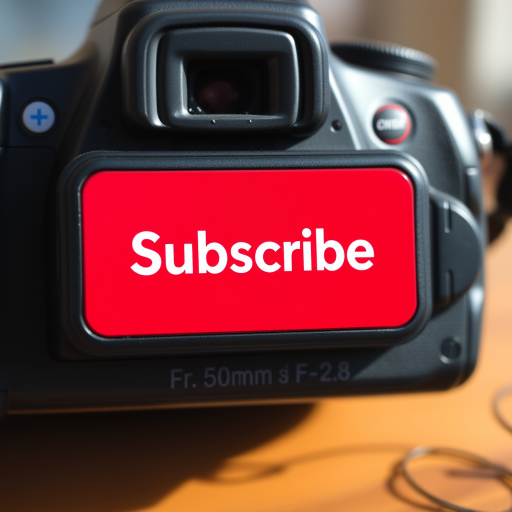
Create an image featuring a bold red rectangular button with the word "SUBSCRIBE" prominently displayed in white text, capturing it with a DSLR camera at f/2.8 aperture, 50mm lens, and a slight vignette effect to enhance focus on the button against a clean black background.
Create a high-resolution digital artwork of a hand pressing a blue circular button labeled "Stress Level" on a sleek black interface, using a Canon EOS R5 with a 24-70mm f/2.8 lens at f/4, ISO 100, in soft natural lighting, top-down view for clarity and detail.
Create a minimalist design of a hand pressing a large red YouTube "SUBSCRIBE" button with a play icon on a bright blue background, using a DSLR camera with a 50mm lens, aperture f/1.8, ISO 100, and a low-angle view for emphasis on the button.
Create a high-resolution image of a pink play button icon with a white triangular play symbol in the center, using a 50mm lens, aperture f/2.8, ISO 100, top-down view, and digital illustration style.
Create a vibrant, high-resolution image of a red circular button with the word "SUBSCRIBE" in bold white font, featuring a hand pointing to it, captured with a DSLR camera at f/2.8 aperture, 50mm lens, ISO 100, in a well-lit studio setting with a soft-focus background.
Close-up of a computer keyboard with a prominent blue button labeled Google It, focus on the button with a hand pressing it, aperture f/2.8, ISO 100, 50mm lens, shallow depth of field, soft background blur, taken with a DSLR camera.
A glossy red button with a metallic silver border, captured in macro view using a DSLR camera, aperture f/2.8, shutter speed 1/100s, and ISO 100 for high detail and vibrant colors.
Create a high-quality image of a blue rectangular button with white bold text "FIND OUT MORE" centered on it, using a Canon EOS R5 camera with an aperture of f/2.8, ISO 100, and a focal length of 50mm, in a front view with soft lighting to enhance clarity and contrast.
Generate a high-resolution image of a red play button icon on a gray background, using a DSLR camera, ISO 100, aperture f/2.8, focal length 50mm, shot from a straight-on view with soft lighting to enhance details and vibrancy.
Create a high-resolution 3D button design with a glossy turquoise finish featuring the word "Shop" in a modern font, using a DSLR camera with a 50mm lens, aperture set to f/2.8, ISO 100, shot at a 45-degree angle with soft lighting for depth and clarity.
Create a high-resolution image of a circular red button with the text "SUBSCRIBE NOW" in bold white font, captured with a Canon EOS 5D Mark IV at f/5.6 aperture, 1/125 sec shutter speed, ISO 200, natural lighting, and a slight vignette for a professional look.
Create an image of a hand pressing a large white button with the word "HELP" in bold blue letters, shot with a Canon EOS R5, 50mm lens, f/2.8 aperture, ISO 100, natural lighting, shallow depth of field, close-up view.
Create a high-resolution image of a glossy golden "Subscribe" button with elegant typography, shot from a slight angle using a DSLR camera at f/2.8, ISO 100, and a 50mm lens for a shallow depth of field, in bright, natural lighting to enhance the reflections and textures.
Create a high-resolution image of a circular political campaign button featuring bold black text that says "VOTE" on a background divided into red, white, and blue stripes, with white stars arranged on the red and blue sections; use a DSLR camera with a 50mm lens, aperture set to f/2.8, ISO 100, and a slight tilt for an artistic perspective.
Create a high-resolution image of a red circular logo featuring a white play button in the center, captured with a DSLR camera using a 50mm lens, f-stop at 2.8, ISO 100, with a slight bokeh background for depth, in natural lighting.
generate a vibrant yellow rectangular button with a glossy finish, using a DSLR camera with a 50mm lens, aperture set to f/2.8, ISO 100, shutter speed 1/250s, top-down view, natural lighting to enhance color saturation and detail