Regenerate a minimalist play button icon within a square frame on a light background, using a Canon EOS R5 with a 50mm lens, f/1.8 aperture, ISO 100, shot from a top-down view with soft natural lighting for enhanced clarity and contrast.
Create a vibrant green button with a leaf icon, high resolution, shot with a Canon EOS R5 at f/8, ISO 100, 1/250s, using a macro lens to capture detail and enhance clarity.
Create an image of a vintage-style feedback button with a textured beige background and bold black handwritten text, using a Canon EOS 5D Mark IV with a 50mm lens, aperture f/2.8, ISO 100, shot in natural lighting from a top-down view.
Create an illustration of a smartphone with a colorful screen displaying a large "BUY" button, a hand pressing the button, set in a vibrant street market background, shot with a 50mm lens at f/1.8, ISO 100, 1/125s, with overhead natural lighting and a shallow depth of field to enhance focus on the smartphone.
A young woman with long blonde hair, wearing a white button-up shirt, looking concerned while holding a smartphone, captured in natural light with a 50mm lens, aperture f/1.8, ISO 200, shutter speed 1/100, portrait orientation, soft focus background.
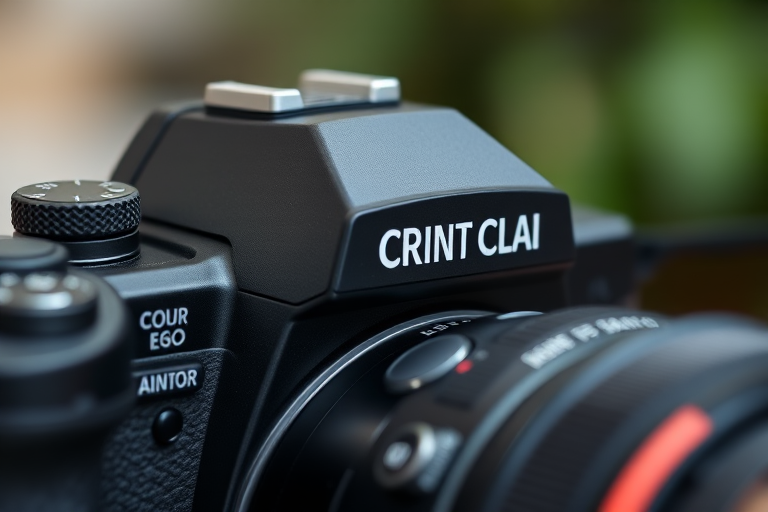
Close-up shot of a high-end camera with focus on the top dials and red shutter button, shallow depth of field, soft bokeh background, 50mm lens, f/1.8, ISO 200, 1/100s shutter speed, natural lighting.
Create a high-resolution image of a glossy button featuring the flag of Mali with vibrant green, yellow, and red stripes, using a Canon EOS 5D Mark IV camera, 50mm lens, f/1.8 aperture, ISO 100, and natural lighting from a frontal view to enhance details and colors.
Create an image of a smooth, glossy orange button placed on a neutral background, taken with a DSLR camera at f/2.8, 50mm lens, ISO 100, natural lighting, with a shallow depth of field to emphasize the button's texture.
Create a high-resolution image of a metallic power button symbol with a glossy finish, using a DSLR camera at f/2.8 aperture, ISO 100, 50mm lens, with a close-up view and soft studio lighting to enhance reflections and textures.
A glossy blue button on a white background, captured with a DSLR camera set to f/5.6, ISO 100, with a 50mm lens at a straight-on view, using soft natural lighting.
Create an image featuring a grid of various technology icons including a computer monitor, smartphone, laptop, landscape image, clock, camera, microphone, mouse, processor, printer, light bulb, game controller, speaker, plug, database, headphones, play button, and telephone, captured with a Canon EOS R5, 50mm lens, f/2.8 aperture, ISO 100, and overhead lighting for clear visibility and contrast.
Create a vibrant graphic featuring Minecraft characters in dynamic poses, include a large, bold YouTube subscribe button with a notification bell icon in the center, use a soft gradient background for depth, shot with a DSLR camera at f/2.8 aperture, ISO 100, and a focal length of 35mm, ensuring clear focus and vivid colors.
Create a festive graphic featuring a red button that says "SUBSCRIBE" in bold white letters, adorned with a Christmas hat on top, using a DSLR camera with a 50mm f/1.8 lens, shallow depth of field, natural lighting, and vibrant colors to enhance visual appeal.
Create a high-resolution image of a circular button featuring a smiley face logo with a satellite antenna, using a 50mm lens, f/1.8 aperture, 1/200 sec shutter speed, ISO 100, shot from a front view with soft diffused lighting in a studio setting.
Create a high-resolution button design with a 3D effect, featuring the word "Shop" in a modern, sleek font, using a turquoise color scheme, with soft shadows for depth, shot with a DSLR camera at f/4 aperture, ISO 100, and a 50mm lens, in bright studio lighting for optimal clarity.
Create an image of a simple play button icon centered on a soft pastel background, using a Canon EOS R5 with a 50mm lens, f/1.8 aperture, ISO 100, and a shallow depth of field for a clean, modern look.