
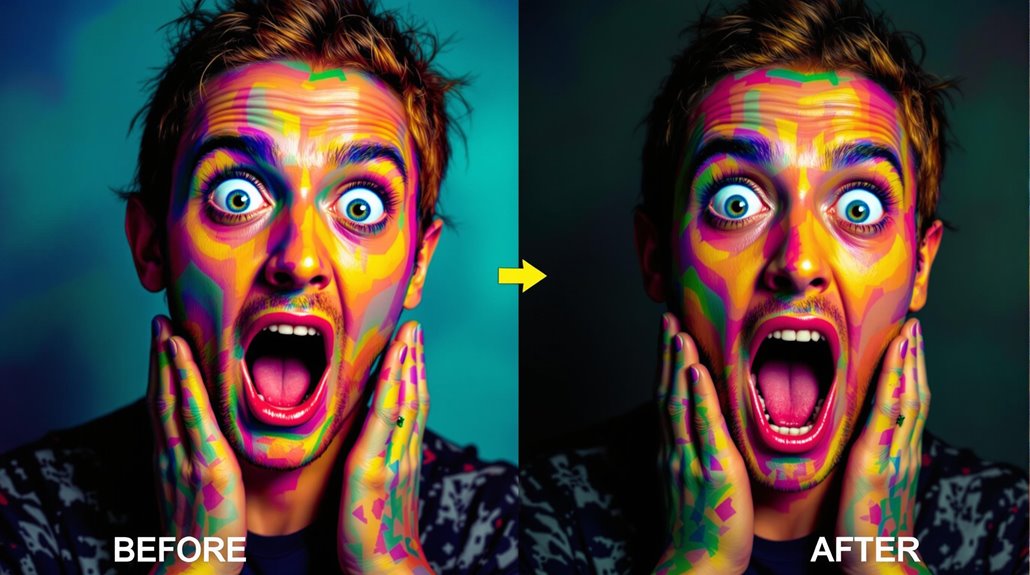
ADetailer is a sophisticated extension for Stable Diffusion that utilizes AI-driven detection models like YOLO and MediaPipe to automatically fix faces and hands in generated images. This tool offers various models for facial feature detection, hand detection, and body detection, enabling users to select the most suitable model for their task.
Key Features:
AI-driven Detection: ADetailer employs models like YOLO and MediaPipe to identify objects and humans in images accurately.
Customizable Inpainting: The extension automates the creation of inpaint masks and allows for detailed corrections with adjustable settings like confidence thresholds and denoising strength.
How It Works:
Object Detection: ADetailer identifies objects and humans using ultralytics-based or MediaPipe detection models.
Mask Creation: It generates masks based on the detected objects, offering options for detection confidence thresholds and mask parameters.
Inpainting Process: With the original image and mask, ADetailer performs inpainting to edit or fill in parts of the image.
Benefits:
Enhanced Image Quality: ADetailer substantially enhances image quality by leveraging AI models and customizable parameters.
Detailed Control: Users have fine-tuned control over the inpainting process, allowing for more refined outcomes.
Choosing Models:
– YOLO and MediaPipe: Different models are available for facial feature detection, hand detection, and body detection, ensuring users can select the best model for their needs.
Practical Applications:
– Facial and Hand Detailing: ADetailer is particularly useful for enhancing facial features and correcting hand distortions in AI-generated images.
Table of Contents Toggle
- Key Takeaways
- Key Features of ADetailer
- Setting Up ADetailer
- Detection Models Overview
- Inpainting Process Explained
- Configuring ADetailer Settings
- Advanced Usage Techniques
- Common Issues and Solutions
- Effective Use Cases
Key Takeaways
ADetailer Key Takeaways:
Face and Hand Detection: ADetailer uses YOLO and MediaPipe models to automatically detect and fix faces and hands in images.
Inpainting Process: ADetailer generates masks and uses AI to reconstruct missing parts of an image without manual intervention.
Customization Options: Users can select various detection models, adjust detection thresholds, and optimize the inpainting process.
Key Features of ADetailer
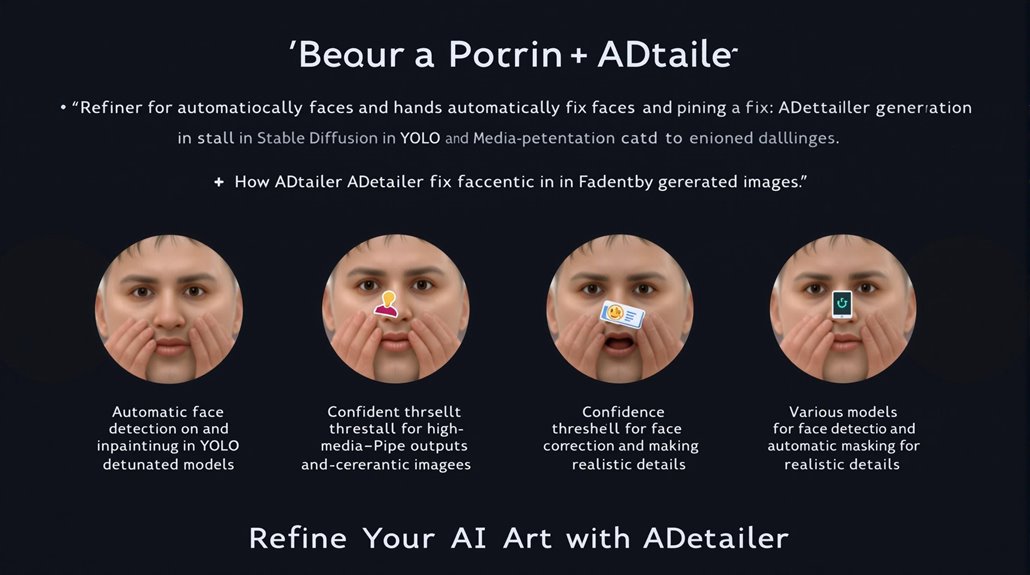
The ADetailer extension for Stable Diffusion improves the quality and realism of generated images, particularly focusing on automatic face detection and inpainting.
ADetailer uses face recognition models like YOLO and MediaPipe to identify faces in images and then automatically generates masks to enhance details without manual intervention.
Users can set a confidence threshold to ensure that only areas with high confidence scores are corrected. This feature is crucial for achieving realistic AI-generated images.
ADetailer offers various models for face detection and correction, catering to diverse needs and aligning with user feedback on image quality and realism. This makes ADetailer a valuable tool for refining faces and hands in Stable Diffusion-generated images.
Key features of ADetailer include its ability to automatically detect and inpaint faces with detailed and realistic content, making it an essential extension for users seeking high-quality outputs.
The detection model selection allows users to choose the best model for their target objects, ensuring optimal results. ADetailer’s functionality also relies on automatic masking to streamline the process of refining specific areas in the images.
Selecting the right ADetailer model is critical, as it should be one that specializes in facial detail enhancement to achieve the most realistic and detailed portraits.
Setting Up ADetailer
Setting Up ADetailer
Setting up ADetailer is a straightforward process. Open the “Extensions” tab in the WebUI and search for ‘A Detailer’. If found, click ‘Install’.
Alternatively, install from a URL by entering ‘https://github.com/Bing-su/adetailer.git’ in the ‘Install from URL’ tab.
Installation Verification
Go to the ‘Installed’ tab, click ‘Check for updates’, and then ‘Apply and restart UI’.
Verify the installation by checking the ‘Text to Image‘ tab for a new section named ‘A Detailer. ADetailer primarily works in three main steps: creating an image, detecting objects and creating masks, and performing inpainting object detection and mask creation.
Using ADetailer
Explore the ADetailer interface to select models and adjust settings.
Enabling “save mask previews” and “save images before” provides valuable insights.
Regularly check for updates and visit the project’s GitHub page for detailed instructions and troubleshooting tips.
Community support is integral in refining ADetailer’s capabilities.
ADetailer Models
Download and install ADetailer models by dragging them into the ‘stable-diffusion-webui\models\adetailer’ path.
Restart the A1111 webui and terminal for changes to take effect.
ADetailer includes default models that are primarily suited for enhancing facial features, but additional models like YOLO models for object detection can be downloaded for specialized tasks such as detecting hands and clothing.
Detection Models Overview
ADetailer Detection Models
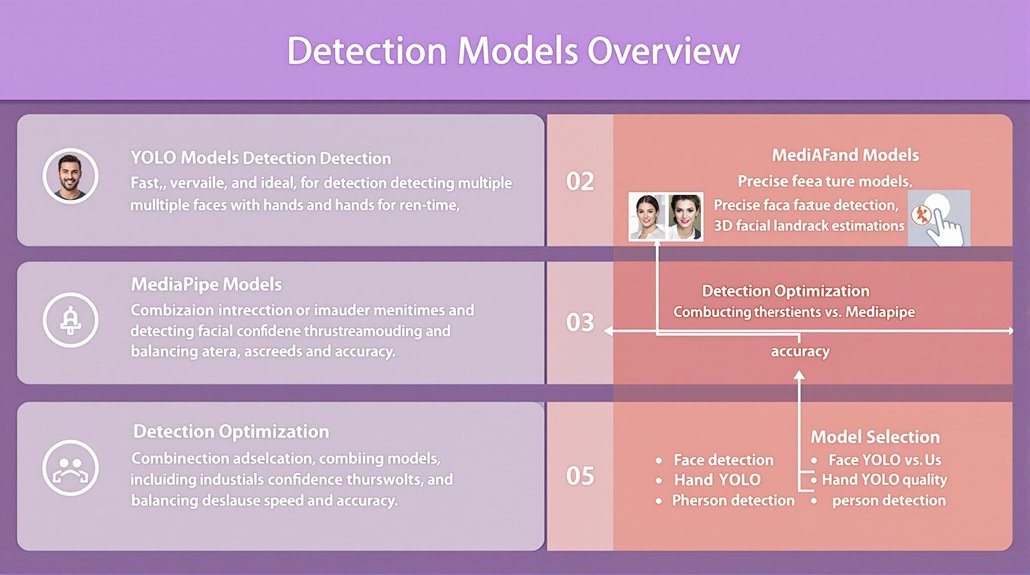
ADetailer, a Stable Diffusion extension, uses various detection models to improve image quality through object detection and inpainting. These models are categorized into face detection models such as Face YOLO and Mediapipe face, hand detection models like Hand YOLO, and person detection models.
Model Comparison
YOLO models are faster but may lack precision compared to MediaPipe models, which offer detailed feature detection. For example, MediaPipe’s Face Mesh provides 3D facial landmark estimation, ideal for precise facial feature detection.
Model Optimization
Detection accuracy can be optimized by combining models or adjusting confidence thresholds. Larger models offer better accuracy but require more computational resources, highlighting a trade-off between speed and accuracy. ADetailer’s automation facilitates using multiple detection models simultaneously for comprehensive image enhancement.
Choosing the Right Model
Face Detection: Face YOLO models are versatile, detecting multiple faces in real-time. However, MediaPipe face models offer more precise facial feature detection, making them suitable for applications requiring detailed facial features.
Hand Detection: Hand YOLO models are effective for detecting hands in images.
Person Detection: Person detection models are useful for identifying and modifying entire figures within images.
Balancing Speed and Accuracy
Model Size: Models are categorized by size, such as ‘n’ (Nano) and ‘s’ (Small). Larger models provide better accuracy but are slower.
Detection Thresholds: Adjusting detection thresholds can help optimize model performance for specific tasks.
Combining Models: Using multiple models can enhance detection accuracy and provide more comprehensive results.
YOLOv8 Performance: The YOLOv8 model demonstrates impressive performance in face detection, achieving 0.660 mAP at 50% IoU.
Understanding these nuances in detection models allows for efficient selection and deployment in ADetailer, enhancing image quality and precision.
Inpainting Process Explained
Inpainting Process in ADetailer
ADetailer uses AI models trained on large datasets to predict and reconstruct missing parts of an image. These models are guided by user input and specified parameters such as checkpoint, VAE, and sampler, allowing for precise control over the inpainting process.
Key Features
Advanced controls in ADetailer include masking, mask modes, and batch processing. These features underpin its ability to automatically fix faces and hands. This demonstrates the power and versatility of modern inpainting algorithms in automatic image** restoration**.
Image Reconstruction Techniques
ADetailer’s inpainting process relies on these advanced controls and AI-driven Image Reconstruction Techniques. By combining user input with AI model knowledge, ADetailer can restore images with high accuracy and detail.
This makes it an essential tool for image editing tasks.
Customization and Precision
Users can customize ADetailer parameters to achieve specific and precise restoration outcomes. This includes adjusting detection model confidence thresholds and inpaint denoising strength.
Other settings can also be fine-tuned to optimize the inpainting process for optimal results.
Efficiency and Automation
ADetailer automates the inpainting process, saving time and resources by eliminating the need for manual intervention. The combination of AI model knowledge and user input enables efficient and accurate image restoration. Traditional inpainting techniques, such as partial differential equation (PDE) methods, have been largely replaced by AI-driven approaches in modern applications.
Advanced Inpainting Controls
The use of ControlNet and SD Dynamic Thresholding in ADetailer allows for precise net inpainting, enhancing the overall image quality. With features like padding options for inpainting, ADetailer provides a comprehensive suite of tools for detailed image restoration.
Users have the flexibility to select specific detection models, such as YOLO and MediaPipe, to tailor the inpainting process to their needs.
Configuring ADetailer Settings
Adetailer: Automatically Fix Faces and Hands
Configuring ADetailer Settings
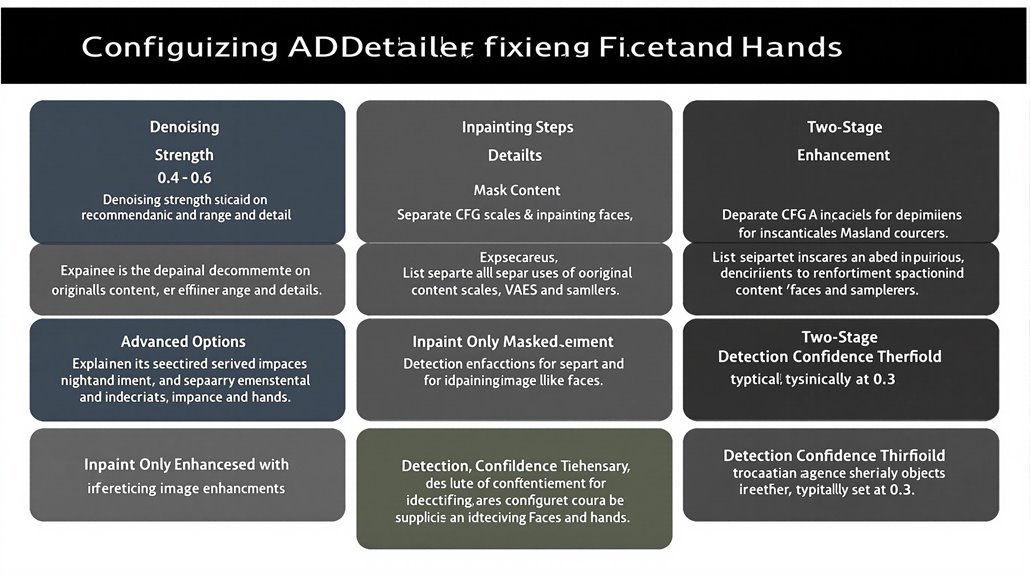
Key adetailer settings for precise control include denoising strength, which determines the AI’s freedom to add detail and make corrections, and inpainting steps, affecting the refinement and detail of edits. Adjusting these parameters allows users to achieve detailed control over enhancement processes.
In inpainting settings, denoising strength controls how much change is made compared to the original image. A denoising strength of 0.0 results in no change, while 1.0 leads to a completely different image.
For optimal results, denoising strength between 0.4 and 0.6 is usually recommended.
Advanced inpainting options include separate CFG scales, VAEs, and samplers, providing additional control over the enhancement process. Users can fine-tune these settings to achieve optimal results.
Mask Content is another important setting, where selecting original uses the color and shape of the original content, suitable for inpainting faces. Inpaint only masked is recommended for focusing on specific areas, such as faces.
Understanding these parameters helps users achieve precise control over ADetailer enhancements, making it a versatile tool for automated image detailing.
The detailing process can significantly benefit from a two-stage approach, allowing for both initial and secondary enhancements to facial features and overall image clarityTwo-Stage Enhancement Process.
Adjusting the detection confidence threshold, typically set at 0.3, is crucial for identifying hard-to-detect objects effectively.
Advanced Usage Techniques
Advanced ADetailer Techniques
Optimizing ADetailer for high-quality image detailing involves selecting the right model and tuning prompts. Choosing between YOLO nano, small, and MediaPipe short, full, or mesh models depends on the object type and desired detail level.
For instance, YOLO nano might be better suited for face detection, while MediaPipe full could be more accurate for hand detection.
Model Selection and Optimization
Selecting the right model is critical for tasks like face and hand detection. Different models offer varying levels of accuracy, and combining two models can yield more thorough results.
For example, pairing a YOLO model with a MediaPipe model can improve detection accuracy.
Prompt Tuning
Custom prompts, negative prompts, and prompt engineering are essential for guiding the AI in detection and inpainting. Combining appropriate prompts with selected models ensures optimal results.
Experimental prompting helps discover what works best for specific tasks.
Fine-Tuning Settings
Adjusting detection thresholds and inpainting parameters is necessary for achieving optimal outcomes. A higher detection threshold ensures only high-confidence objects are masked, while lower thresholds may include more objects but risk lower accuracy.
Inpainting parameters like denoising strength and mask blur also need careful adjustment to avoid seams or over-alteration.
Workflow Strategies
Understanding the workflow is crucial for efficient ADetailer use. This includes selecting the right model, tuning prompts, and adjusting settings. ADetailer’s ability to automate inpainting masks and restore images efficiently Automated Inpainting makes it a vital tool for various applications.
ADetailer is fully compatible with Stable Diffusion 1.5 and Stable Diffusion XLC, ensuring versatility in different Stable Diffusion versions Stable Diffusion 1.5 and XLC Compatibility.
Common Issues and Solutions
Detection and Masking Issues
Choosing the right detection models, such as YOLO 8n and 8s, is crucial for optimal detection. Adjusting the confidence threshold and mask min/max area ratio can significantly impact inpainting results.
Users have emphasized the importance of these adjustments for achieving desired outcomes.
Impact of Updates
Changes to these settings should be closely monitored to ensure consistent performance, especially given that users have reported issues with ADetailer’s img2img inpainting functionality persisting despite updates to version 24.3.1 Persistent Update Issues.
Key Considerations
Masking: The mask min/max area ratio affects what is detected and inpainted.
Confidence Threshold: Adjusting this setting can help filter out unwanted detections.
Model Selection: Different detection models can offer varying levels of accuracy and detail.
Effective Strategies
Fine-Tuning: Adjusting detection model parameters can improve results.
Model Selection: Choosing the right detection model can enhance detection accuracy.
Monitoring Updates: Regularly reviewing changes to settings ensures consistent performance.
Practical Solutions
Adjust Confidence Thresholds: Tailor the threshold to suit specific detection needs.
Select Appropriate Models: Use models like YOLO 8n and 8s for optimal detection.
Monitor Performance: Regularly check the impact of updates on detection and inpainting.
Layered Rendering: Using layered rendering for body, face, and hands in full-body renders can further enhance inpainting results.
Effective Use Cases
Effective Use of Adetailer: A Guide to Enhanced Image Quality
Key Features and Integration
Adetailer is a powerful tool used primarily for automated image enhancement, particularly in refining facial features and overall image quality. Its seamless integration with Stable Diffusion allows for easy use in both img2img and inpaint tabs for various detailing tasks.
Customization and Control
Users can customize detection confidence thresholds, mask parameters, and denoise strength to refine the detailing process. Choosing the right detection model, such as YOLO, is crucial for precise and accurate results. Adjusting detection thresholds is also important for achieving the desired level of detail.
Detailing Process
Adetailer offers automated face and hand detection, significantly improving facial features and overall image quality. The detailing process involves two stages: initial and secondary enhancements. The initial stage focuses on general improvements, while the secondary stage allows for further refinement, focusing on specific areas like hands.
Best Practices and User Feedback
Users emphasize the importance of adjusting detection thresholds to filter out unwanted detections. This ensures that Adetailer’s enhancements are targeted and accurate, leading to superior image quality. Adetailer’s ability to integrate with Stable Diffusion’s GUI makes it a versatile tool for various detailing tasks. The face recognition model used by Adetailer streamlines the inpainting process by automatically generating inpaint masks without needing manual intervention.
Practical Applications
Adetailer is particularly effective in creative applications where high-quality images are paramount. Its automated detailing capabilities save time and effort, making it an invaluable tool in the domain of image enhancement.
Tips for Optimal Use
Use Adetailer in initial image generation to fix facial and other details, saving time in post-processing.
Adjust denoise strength to balance detail enhancement and image noise.
Use specific detection models like YOLO for precise face and hand detection.
Integrate with Stable Diffusion for seamless detailing in img2img and inpaint tabs.
Advanced Detailing
When detailing, it is essential to run Adetailer multiple times with different denoise strength settings to achieve optimal results, which helps in balancing detail and noise effectively.