
Table of Contents Toggle
- Best Free Art Generator for Beginners
- Key Takeaways
- Exploring AI Art Generators
- Key Features to Consider
- Top Free Tools Overview
- Beginner-Friendly Interfaces
- Customization and Flexibility
- Quality of Artistic Outputs
- Licensing and Copyright Basics
- Community and Support Systems
- Upgrading From Free Versions
- Getting Started With Your Choice
- Frequently Asked Questions
- Conclusion
Best Free Art Generator for Beginners
Finding the right tool can be challenging for beginners in AI art generation. Leonardo AI stands out as a great option. It’s free and packed with features like AI-generated prompts and supporting models such as Prompt Magic V3 and Alchemy. Beginners can easily create art with tools for upscaling, adding variations, and removing backgrounds. This makes art accessible to everyone, encouraging creativity.
Comparing Leonardo AI with other tools is essential for any beginner. This comparison should focus on how easy the tool is to use, its customization level, and the support available for new artists. Leonardo AI shines by providing a user-friendly platform that doesn’t require previous experience.
It’s also important to consider how these tools handle copyright issues and whether they offer a supportive community for artists.
Key Takeaways
Leonardo AI offers a free plan for daily art creation.
Beginners can quickly start with diverse art prompts.
A User-friendly interface supports creative growth.
Leonardo AI provides a cost-effective way for beginners to dive into art creation. Its simple design and various prompts make it ideal for those wanting to expand their artistic abilities. This tool encourages users to practice and improve their skills every day.
Exploring AI Art Generators
AI art generators have entirely changed how we create and see digital art. Tools like Leonardo AI, DALL-E 2 by OpenAI Labs, Craiyon, Shutterstock AI Image Generator, and Hotpot AI have made it easier for everyone to make art. They allow for creating of everything from simple, accessible, low-resolution images to detailed, high-quality art pieces that capture specific styles.
Leonardo AI stands out because it offers over 1000 prompts and supports various AI models like Prompt Magic V3 and Alchemy, letting users try numerous creative styles. DALL-E 2 has a unique feature that includes ChatGPT for image creation, giving users 15 monthly image credits to play with. Shutterstock AI teams up with OpenAI to offer better images than many other platforms for those who want top-quality photos. Hotpot AI caters to classic Sci-Fi and fantasy fans, showing how diverse these tools can be.
These platforms give artists and enthusiasts a tool that expands their creative possibilities. Making digital art is now more accessible and varied, opening up new avenues for artistic expression.
Key Features to Consider
When starting on your artistic journey and wanting to dip your toes into creating digital art, choosing the right free art generator is critical. These tools, powered by artificial intelligence, have opened new doors for artists, making art creation more accessible. Here are the features you should keep an eye out for:
Look for art generators that don’t charge you, like Leonardo AI and DALL-E 2. They offer several free creations each day or month. This allows you to experiment with your art without worrying about costs. The freedom to play around with your ideas is vital for your growth as an artist.
It’s also essential to pick tools that give you the power to change your art in various ways. This includes making the images larger, creating different versions of your art, and being able to take away the background. These options allow you to polish and try out diverse artistic expressions.
An easy-to-use interface is crucial, especially when you’re just starting. You want to spend time making art, not figuring out how to use a complicated tool. A simple and intuitive interface means you can jump right into creating without any hassle.
Finally, the art quality you can make is a big deal. You should look at the kind of images the tool produces and what features it has. This ensures the tool matches your expectations and supports your artistic development.
Choosing an AI art generator that ticks all these boxes will significantly enhance your experience with digital art. It makes the process more fun and helps you explore your creative potential fully.
Top Free Tools Overview
Switching our discussion to the best free tools for dog breed enthusiasts, we aim to provide a clear overview of what’s out there. It’s all about finding easy-to-use tools with great features and support. For anyone just starting to explore the world of dog breeds, choosing the right tools can make a huge difference in how well you understand and enjoy the process.
Each tool in the market has strengths, from comprehensive databases on different breeds to training tips tailored for specific types. Ease of use is critical. You don’t want to waste time on complicated interfaces when you could be learning more about your dog or training techniques. Community support is another big plus. Tools with an active user base can answer your questions and offer a space for sharing experiences and advice.
For example, platforms like Dogster or the American Kennel Club offer extensive resources for breed information and care tips. They’re user-friendly and backed by communities of dog lovers and experts willing to share their knowledge. These tools help beginners get started and grow with them as they become more involved in the dog enthusiast community.
Features and Capabilities
Exploring the top free art** generators** can make the journey into AI-generated artwork easier for beginners. These tools provide various options for digital art creation without spending money.
Leonardo AI offers a free plan with daily limits, perfect for users who want to dip their toes into digital art creation without a big commitment. DALL-E 2 from OpenAI Labs gives users 15 image credits every month, making it possible to play around with generating high-quality images. Craiyon, previously known as Dall-E Mini, allows for the creation of free low-resolution images, with the choice to pay for upscaling to achieve more detailed art.
With a Microsoft account, **Bing Image **Creator can generate up to 99 images daily, and **Runway ML provides a user-friendly text-to-image service in its free tier.
These platforms are designed to make starting with digital art an accessible and enjoyable experience, offering a range of services to suit different needs and interests. Whether you’re looking to create detailed images or experiment, there’s an option available that doesn’t require a financial investment.
Ease of Use
Getting into AI-generated art doesn’t have to be challenging, especially for those just starting. Platforms like Deep Dream Generator and Nightcafe are known for their straightforward design and ease of use. They make it simple for beginners to try creating all sorts of art styles.
Leonardo AI offers a welcoming feature for new users with its free plan, which includes daily limits. This approach helps those new to AI art get started without feeling overwhelmed. On the other hand, DALL-E 2 by OpenAI Labs gives new users 15 monthly image credits. This setup is perfect for anyone wanting to dip their toes in without worrying about costs.
Craiyon, previously called DALL-E Mini, is another excellent option. It provides free low-resolution images, ideal for beginners. These platforms are about making the creative process as accessible and stress-free as possible for newcomers. They stand out for their commitment to making AI art something everyone can enjoy and learn from.
Community and Support
A solid community and support system can make all the difference for those just starting to create AI-generated art. It provides the necessary guidance and resources to help you grow. Here are a few standout platforms known for their community support and user-friendly tools:
Midjourney AI is all about fostering community engagement and producing high-quality art. It’s an inviting space for newcomers. Leonardo AI stands out with its easy-to-use interface and access to various AI models, making it simple to craft diverse artwork. DeepAI offers a no-frills experience, focusing on the essentials, but might not cater to those seeking more advanced features.
Craiyon, previously known as Dall-E Mini, lets you generate images for free, though they’re low-resolution. Upscaling is an option for those willing to pay. Bing Image Creator is another excellent tool for beginners, allowing up to 99 free prompts daily. It’s perfect for experimenting with AI-generated images without feeling overwhelmed by options or costs.
Beginner-Friendly Interfaces
Creating digital art is now a breeze for beginners, thanks to platforms like Leonardo AI. These user-friendly tools are perfect for those just starting, making crafting digital masterpieces simple and stress-free. They guide users every step of the way, ensuring even complete novices can produce beautiful artwork without feeling lost.
These platforms have some great features. Step-by-step guidance helps users through the art-making process in a fun and straightforward manner, boosting confidence and easing worries. Upscaling improves the quality of images, making creations look professional and sparking a sense of pride. Background removal allows users to modify or delete backgrounds, encouraging them to play and experiment with their art.
Customization and Flexibility
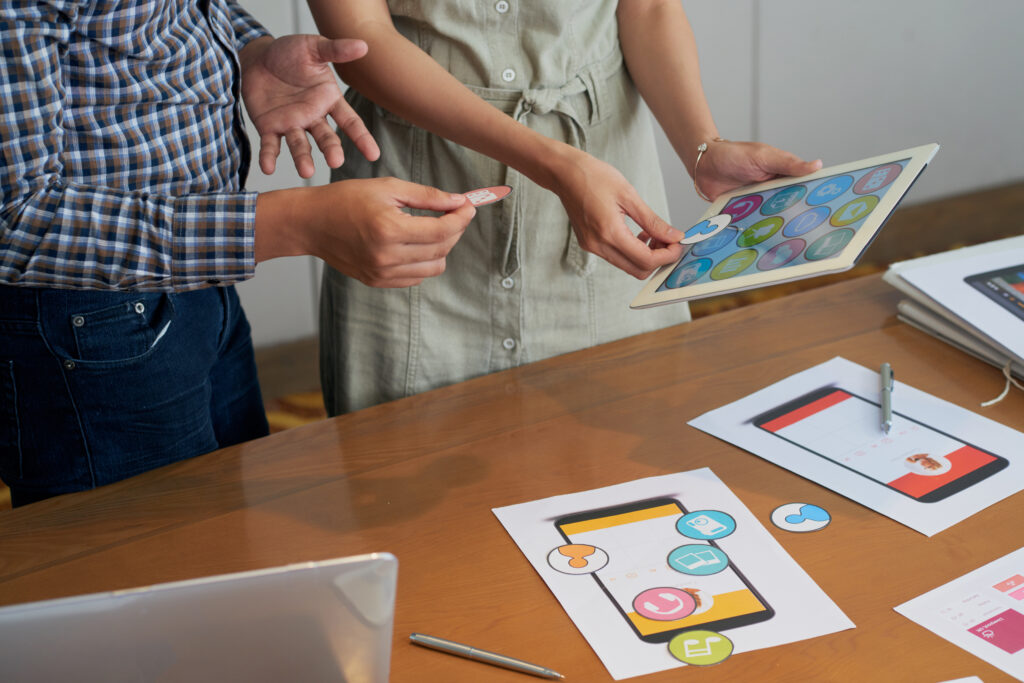
The top free art** generator** for beginners offers a wide range of customization options, making it easier for users to shape their artwork to reflect their tastes. This adaptability is critical for those new to art, creating a space to express their creativity without feeling limited by their tools. AI art generators have significantly changed how novices engage with art, providing a user-friendly interface that doesn’t skimp on the ability to personalize.
Style Choices: Beginners can pick from numerous styles to find the perfect match for their artistic vision, ensuring every artwork is distinct.
Color Options: Users can experiment with color palettes, which help them with different emotions and atmospheres in their work.
Composition Flexibility: Being able to tweak the composition gives users a more interactive way to approach design and layout.
Settings Exploration: The freedom to try various settings encourages beginners to try new aspects of art, expanding their creative scope.
Quality of Artistic Outputs
Ensuring that art generators for beginners produce engaging and high-quality art is vital to a positive, creative journey. Quality art grabs users’ interest and motivates them to dive deeper into their creative ventures. For novices, it’s crucial to find art generators that can create detailed, visually stunning pieces that reflect their imaginative ambitions.
High-quality art should have realistic textures, making the piece appear more lifelike and inviting. This depth and realism pull the viewer into the artwork. Bright and lively colors make the art pop, attracting the eye and improving the piece’s overall look. The intricate details in the artwork demand closer attention, rewarding the viewer with a richer appreciation of the piece. The overall beauty of the art—its clarity, composition, and the way it’s put together—gives it a professional feel that can be incredibly motivating for beginners.
Choosing an art generator that offers these qualities means that every piece of art a beginner creates is not just a step in their learning process but a rewarding experience. It’s about finding tools that make the creative process enjoyable and fulfilling by producing art they can be proud of.
Licensing and Copyright Basics
When using AI to create unique art, it’s just as important to understand the rules around licensing and copyright. These rules help keep your work legal and safe.
Licensing tells you how you can use the images you make. It’s critical to check if you’re allowed to use these images for just fun or if you can also use them for work. Copyright is about who owns an artwork and how it can be shared. It’s vital to know that even though AI helps make the art, it doesn’t mean the artwork doesn’t have ownership rules.
You must follow the law when it comes to copyrights and licenses. If you don’t, you could face legal trouble. That’s why understanding and following these rules is a must.
Always read AI art generators’ terms of use and licensing agreements before starting. This step prevents legal problems and ensures you know what you can do with your creations.
Community and Support Systems
Joining online communities can make a big difference for those new to creating art with AI. Places like Discord, Reddit, and specific forums are packed with helpful advice. Here, beginners can find discussions, guides, and tips that are easy to follow. These spaces are crucial for learning new skills, getting feedback, and staying updated on AI art trends.
Many AI art websites are user-friendly, especially for beginners. They often include detailed guides and FAQs. Plenty of online tutorials and videos also break down the process into simple steps. Getting involved in these online communities builds your knowledge and connects you with others who share your interest in AI art.
Upgrading From Free Versions
Moving beyond the basics of **free **art generators can open up a whole new world for creators. Free versions are a fantastic starting point, but they often come with limitations in features and functionality. Opting for a paid subscription can elevate your art, offering tools and options previously unavailable.
Paid plans offer more sophisticated editing tools and customization choices. This means artists can tweak their creations with much more precision. One significant advantage of going premium is getting rid of watermarks. This makes your artwork look cleaner and more professional, perfect for various applications without any branding issues.
Another perk of upgrading is the ability to create art in higher resolutions. This is crucial for projects that need top-quality prints or digital displays. Your results will be sharper and full of detail. Plus, paid subscriptions often give you access to unique art styles unavailable in the free versions. You’ll also enjoy better customer support, making your creative journey smoother.
In short, shifting to a paid plan from free art generators removes limitations like watermarks and ensures your output is of the highest quality. It gives you access to advanced tools, enhancing your artistic endeavors.
Getting Started With Your Choice
As a beginner in AI art creation, picking the right tool is critical. Leonardo AI is an excellent choice due to its wide range of features and straightforward design.
Choosing a platform that is easy for new users is helpful, which ensures a less steep learning curve for those new to creating art with AI. Understanding what the free version offers and its limitations is vital. This knowledge helps users maximize their creative efforts while working within the tool’s boundaries.
Selecting Your First Tool
Choosing the right **art **generator tool like Leonardo AI is a vital step for newcomers eager to start creating art with the help of AI. Leonardo AI stands out as an ideal choice for a couple of key reasons:
It provides a free plan with daily usage limits, making it perfect for beginners just getting their feet wet with AI art generators. It supports various AI models, including Prompt Magic V3 and Alchemy, offering a range of creative possibilities. Users can also upscale images, generate different versions, and remove backgrounds to enrich their art creation experience. With over 1000 AI-generated prompts at your fingertips, Leonardo AI is a user-friendly tool that makes it easy for beginners to get creative.
Choosing Leonardo AI as your starting point can make the journey into AI-assisted art creation much smoother for those new to this exciting field.
Ease of Use Considerations
When starting your journey into AI art creation, choosing tools that are easy to use for a smooth start is vital. Leonardo AI stands out with its user-friendly interface, offering over 1000 prompts that help beginners quickly get into digital art creation.
On the other hand, DALL-E 2 and Bing Image Creator are great because they give out free image credits, making them accessible to anyone with an OpenAI or Microsoft account. If you’re looking to start with more basic projects, Craiyon is a good option, as it allows you to create low-resolution images for free.
Although Midjourney AI now requires a subscription, its focus on quality and engaging with its community made it a good choice for beginners.
Each of these tools has its way of making things easier for you, whether through free prompts or interfaces that are straightforward for beginners.
Exploring Features and Limits
Starting your journey in AI art creation requires a clear understanding of what each tool offers and its limitations. This ensures you choose the best option for your projects. For those new to AI-generated art, it’s essential to consider whether free options, limits on image creation, and the quality of the final product are suitable for your needs.
Leonardo AI is great for beginners, offering a set number of images you can create daily. Craiyon lets you make low-resolution images for free, but if you want higher quality, there’s a fee. Midjourney AI is known for its excellent output but requires a subscription. For those with a Microsoft account, Bing Image Creator allows up to 99 free creations daily using the impressive DALL-E 3 model.
Choosing the right AI art generator means understanding what each one can do and how they fit your creative goals.
Frequently Asked Questions
Which Free AI Art Generator Is Best?
The user interface should be easy to navigate.
Customization options must be varied and flexible.
Output quality has to be consistently high.
What Is the Art Generator Everyone Is Using?
Leonardo AI boosts creativity with user-friendly guidance.
It supports diverse artistic endeavors with varied tools.
Positive feedback highlights its community acclaim.
Is There a Free AI Art Avatar Generator?
Deep Dream Generator offers free avatar creation.
Tailor’s avatars to reflect personality and trends.
Integrates smoothly with social media, valuing privacy.
Can I Generate AI Images for Free?
Free AI image creation is possible.
Select tools wisely due to variance in quality.
Be aware of legal and ethical issues.
Conclusion
For those new to creating art with the help of technology, finding an affordable and feature-rich tool is critical. Leonardo AI stands out as a great choice, thanks to its wide variety of art prompts, support for different AI models, and numerous customization features. Its free plan allows daily usage, making it easy for beginners to experiment with AI art.
This tool is handy for anyone looking to expand their creative skills without spending money. Leonardo AI’s user-friendly interface and diverse options make it a perfect starting point for exploring the world of AI art creation.