high-quality close-up of a glossy red circular button with a metallic border, 50mm lens, f/2.8 aperture, ISO 100, natural lighting, shot at eye level with a DSLR camera
Create a high-resolution image of a smooth, glossy orange button with a subtle gradient, using a DSLR camera, 50mm lens, aperture f/2.8, ISO 100, with a soft-focus background to enhance prominence.
Create a high-resolution image of a blue circular button with a right arrow symbol centered in the middle, using a DSLR camera with a 50mm lens, aperture set to f/1.8, ISO 100, and shot from a frontal view to enhance the clarity and vibrancy of colors.
Capture an image of a man with hands clasped together, wearing a brown button-up shirt, silver wristwatch, and showing intricate tattoos on his hands, using a Canon EOS R5 with a 50mm f/1.2 lens, ISO 100, aperture f/1.8, shutter speed 1/200s, in a low-light studio setting with soft, diffused lighting to emphasize texture and detail in the hands and shirt.
Create a high-resolution icon of a power button symbol in a circular blue background, camera settings: ISO 100, aperture f/8, shutter speed 1/250s, camera view: top-down, camera style: flat lay, camera type: digital DSLR.
A top-down view of a black gaming controller with colorful buttons, high resolution, 50mm lens, f/2.8 aperture, ISO 100, natural lighting.
Create a high-resolution image of a large red circular button with a white cross in the center, taken with a DSLR camera at f/2.8 aperture, 50mm lens, 1/100 sec shutter speed, shot in natural light from a front view with a clean background.
Close-up shot of a glossy button featuring the Israeli flag resting on an open book page, with soft natural lighting, aperture f/2.8, shutter speed 1/60 sec, ISO 200, macro lens, taken with a DSLR camera for enhanced detail and depth of field.
create a hyper-realistic 3D render of two glossy red YouTube play buttons on a dark reflective surface, with a shallow depth of field, using a Canon EOS R5, 35mm lens, aperture f/2.8, ISO 100, and soft studio lighting to enhance the contrasts and reflections
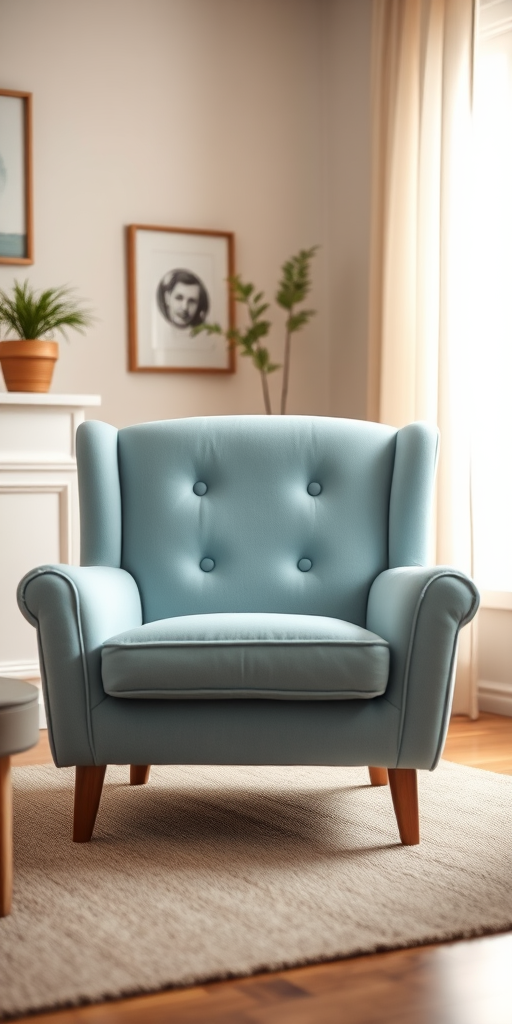
Create a cozy living room scene featuring a plush light blue chair with two buttons, using a Canon EOS R5 camera set to f/2.8, ISO 100, 50mm lens, with a shallow depth of field to blur the background and enhance the chair's color and texture, soft natural lighting to create a warm atmosphere.
Create a vibrant 8-bit style image featuring a Pac-Man inspired shape filled with colorful retro gaming buttons labeled PAUSE, FORWARD, START, MENU, BACK, and NEW, with pixelated enemies and hearts scattered on a black background, shot using a DSLR camera at f/8 aperture, ISO 100, 50mm lens, with a vibrant color profile and high contrast to enhance the pixel art details.
Create a detailed fashion illustration of a stylish short-sleeved jacket with round neckline and single button closure, captured with a DSLR camera at f/2.8 aperture, 50mm lens, natural lighting, and a shallow depth of field to highlight the fabric texture and design details.
Create an image of a decorative button with a pink ribbon on a textured background, shot with a DSLR camera at f/2.8, 50mm lens, natural light, and a slight blur effect for depth.
Create a high-resolution image of a simple play button icon, centered within a circular black and white background, using a shallow depth of field with a 50mm lens at f/2.8, shot from a front view on a DSLR camera.
Create a digital illustration of a woman with curly brown hair and bold red lipstick, wearing a black button-up shirt, in a bright and lively style; use a Canon EOS R5 with a 50mm lens, aperture f/1.8, ISO 100, natural lighting to enhance colors and details.
Create an image of a minimalist user interface button with a soft oval shape, featuring a stylized pen icon in the upper left corner, set against a muted green background, using a DSLR camera with a 50mm lens, aperture set to f/1.8, ISO 200, shot in natural light.