
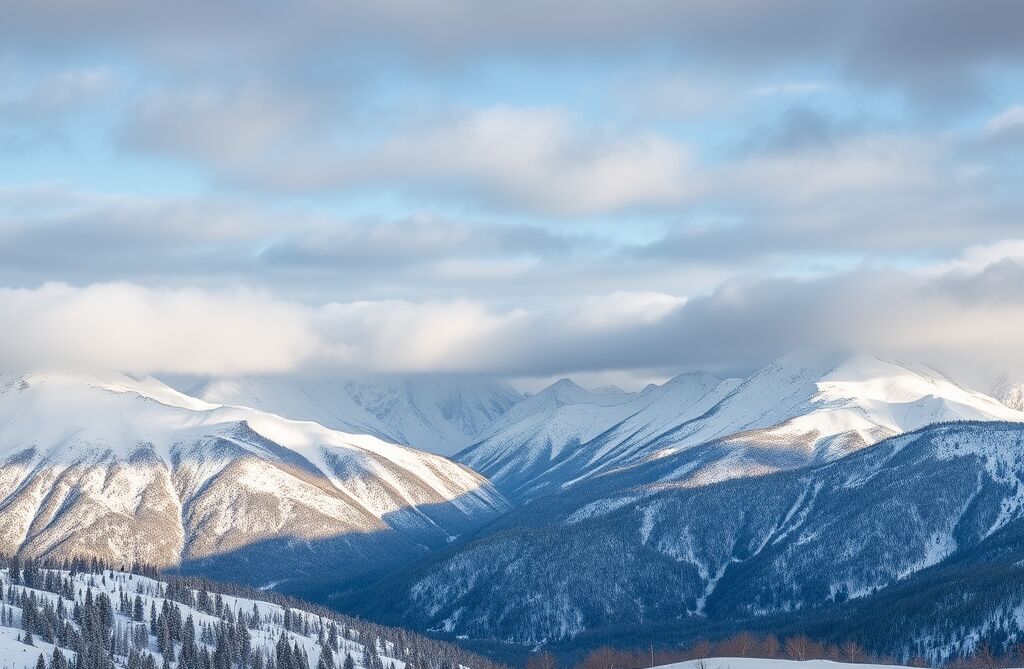
Short answer: To find free AI images by topic, browse the ipic.ai collections and topic searches below: landscapes and nature, seasons and holidays, animals, fantasy and space, flowers and design backgrounds. Each image page shows the full picture, the prompt behind it and related images, with a Download button. The images are free for personal use, such as wallpapers and school projects. To get exactly what you want, make your own free AI image.
This page is the index of every free image collection on ipic.ai. Pick a topic, open an image, and use the prompt on its page as a starting point for your own.
Which topics have free AI images?
| Topic | Start with | Good for |
|---|---|---|
| Landscapes and nature | Winter landscape collection, landscape search | Desktop and phone wallpapers, calendars, blog headers |
| Seasons and holidays | Christmas and Thanksgiving collections | Cards, invitations, seasonal posts |
| Animals | Cute animal collection | Wallpapers, stickers, classroom slides |
| Fantasy, dinosaurs and space | Dinosaur search, space search | Bedroom posters, game ideas, story covers |
| Flowers and design backgrounds | Flower search, mandala search | Backgrounds, coloring ideas, craft projects |
| Food, cafes and buildings | Cake search, architecture search | Menus, party invitations, mood boards |
The collections are hand-picked pages with grouped images, prompt tables and tips. The searches show the newest gallery images for one word, so they change as people make new images.
Where are the free landscape and nature images?
Landscapes are the most-visited topic on ipic.ai. The winter landscape images and wallpapers collection groups snowy mountains, frozen lakes, forests, cabins, northern lights and frost close-ups, each with its prompt.
For other scenes, open a topic search:
- Mountains and lakes: landscape, mountains, lake, waterfall, river
- Sky and light: sunrise, sunset, sky
- Coasts and dry lands: sea, island, desert
- Woods: forest
Prompt to try: alpine lake at sunrise with snow-capped peaks reflected in still water, photorealistic, wide view, no people, no text.
Where are the seasonal and holiday images?
- Christmas: the Christmas and winter home decor images collection covers trees, mantels, wreaths, cozy cabins and gingerbread. More in the Christmas search.
- Thanksgiving: the Thanksgiving images and table decor ideas collection covers turkey dinners, pies, cornucopias, pumpkins and autumn wreaths. More in the Thanksgiving search.
- Winter and snow: see the winter search and snow search.
- Spring and autumn: see the spring search and autumn search.
Prompt to try: snowy village street at dusk with warm lit windows and a decorated tree, storybook illustration, no people, no text.
Where are the free animal images?
The cute animal images and wallpapers collection groups cats and kittens, dogs and puppies, birds and owls, woodland animals, horses and farm animals, and fantasy animals. Every image shows animals only, with no people.
Topic searches: cat, kitten, puppy, bird, owl, fox, horse, lion, panda, elephant and fish.
Prompt to try: fluffy orange kitten asleep in a basket of autumn leaves, soft window light, shallow depth of field, photorealistic, no people, no text.
Where are the fantasy, dinosaur and space images?
These are popular for bedroom posters, story covers and game ideas: dinosaur, dragon, unicorn and space. The style tools help here: the 3D Cartoon generator makes cute characters, and the Cyberpunk generator makes neon city scenes.
Prompt to try: friendly green dinosaur in a jungle clearing with ferns and a waterfall, bright 3D cartoon style, no text.
Where are the flower, pattern and background images?
For soft backgrounds, coloring ideas and craft projects, try flower, mandala, watercolor and wallpaper. For everyday subjects, try cake, architecture and house.
Prompt to try: seamless pattern of wildflowers and leaves, flat watercolor illustration, pastel colors, white background.
How do I download and use these images?
- Open an image. Click any picture in a collection or search to open its image page.
- Read the prompt. The page shows the prompt that made the image, plus topic tags that lead to similar searches.
- Download it. Press Download on the image page. The page also has share buttons and an HTML code box if you want to embed the image on a page.
- Use it for personal projects. The ipic.ai terms of use allow personal, non-commercial use: phone and desktop wallpapers, school work, a card for a friend, a personal blog post.
- Leave notices in place. The terms ask you not to remove copyright, trademark or other notices from the images.
What about commercial use? The terms say only paid users may use generated images commercially, and they do not let you sell or otherwise exploit gallery images commercially without the owners' permission. For a product, ad or client project, make your own image on a paid plan, which lists commercial use. ipic.ai does not claim ownership of generated images.
How do I fit an image to my screen?
- Phone: choose a tall image (for example 512x768) and keep the subject low or in the middle so the clock and icons do not cover it.
- Desktop: choose a wide image (for example 768x512). Check the size before you use it on a large monitor, because small images look soft when stretched.
- Wrong shape? Widen or heighten any image with AI Image Outpainting, or cut out the subject with the AI Background Remover and place it on your own background.
How do I make my own free AI image on any topic?
If no image is quite right, make one. It takes about a minute:
- Open the free AI image generator on the home page (or the AI Image Generator tool page).
- Describe the subject, the setting, the light and the style. Add
no people, no textfor a clean picture. - Press Styles to pick a look such as watercolor, pixel art or line art, then press Generate.
The ipic.ai pricing page lists a free daily allowance on the Free plan, one image per request, sizes 512x512, 512x768, 768x512 and 768x768, public images and prompts, and personal use only. Paid plans add sizes up to 1024x1024, private images, and commercial use. For one look at a time, use the AI Art Generator, AI Oil Painting or AI Pencil Sketch. To choose between free tools, read Best Free AI Art Generators Online: How to Choose One.
Frequently asked questions
Where can I find free AI images by topic? On ipic.ai, the image gallery is grouped by topic. Start with the collections for winter landscapes, cute animals, Christmas and Thanksgiving, or open a topic search such as landscape, mountains, kitten, dinosaur or flower. Every image page shows the full picture, the prompt that made it and related images, and you can download it.
Are the images on ipic.ai free to download? Yes. Each image page has a Download button and is free to view. The ipic.ai terms allow personal, non-commercial use of the images, so a phone wallpaper, a school project or a card for a friend is fine. For commercial use, generate your own image on a paid plan.
Can I use free AI images commercially? Not images from the gallery on the Free plan. The ipic.ai terms say the images may be used for personal, non-commercial purposes, and only paid users may use generated images commercially. If you need an image for a product, ad or client, generate your own on a paid plan, which lists commercial use.
How do I make an AI image into a phone wallpaper? Use a tall image, such as one made at 512x768, and keep the main subject in the lower or middle part so the clock and icons do not cover it. If an image you like is square or too narrow, widen or heighten it with AI Image Outpainting, then set it as your wallpaper in your phone settings.
Are these AI images real photos? No. Every image on ipic.ai was generated by AI from a text prompt, including the ones that look like photos. Places, animals and objects may not match anything real, so do not use them as evidence of a real place or event, and say the image is AI-generated when it matters.
How do I make my own free AI image on a topic? Open the generator on the ipic.ai home page, describe the subject, setting, light and style, add no people and no text if you want a clean picture, and press Generate. The Free plan lists a free daily allowance at sizes from 512x512 to 768x768, for personal use.
Browse all images
See everything in the full ipic.ai gallery, or make your own free AI image now.