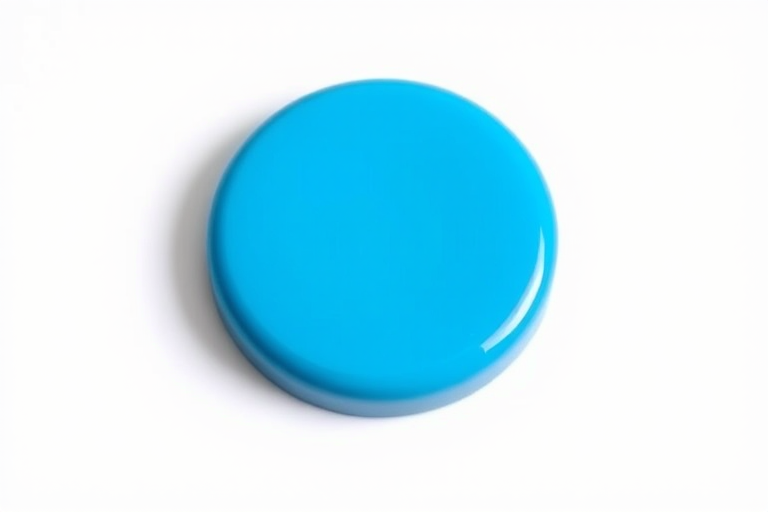
Create a high-resolution image of a blue circular play and pause button with a long shadow effect, using a DSLR camera, 50mm lens, aperture f/1.8, ISO 100, shot in natural light from a slight angle to capture depth and detail.
Create an illustration of a large green button with four holes next to a shiny silver sewing needle, high-resolution, 50mm lens, f/8 aperture, natural lighting, focus on the button with a blurred background, digital art style.
Create an image of a hand touching a large red button labeled "CLICK HERE" on a smartphone, with multiple tablets displaying a blue background in the scene, using a DSLR camera with a 50mm lens, aperture set to f/2.8, ISO 100, and a shallow depth of field for enhanced clarity.
Create a high-resolution image of a round red button with a glossy finish and a large text label saying "Push off" in bold black, with a circular arrow design around it, photographed from a top-down perspective using a DSLR camera at f/5.6 aperture, ISO 100, 1/60 shutter speed.
Create a high-resolution illustration of a black control box with two white dials and a red button on top, using 50mm lens at f/8 aperture, ISO 100, shot from a top-down view, in a minimalist style.
Create a vibrant, high-resolution button with bold white text saying "DOWNLOAD NOW" on a striking red background, taken with a Canon EOS R5, 50mm lens, f/1.4, ISO 100, soft natural lighting, and a slightly angled top-down view to enhance depth and focus.
create a vibrant green button with a sleek oval shape and a black paper plane icon on the right, taken with a DSLR camera at f/2.8 aperture, ISO 100, 50mm lens, soft studio lighting for enhanced clarity and color saturation
Create a high-resolution graphic featuring four circular buttons: a gray button with a white hand icon and the text "CLICK HERE," a red button with the same design, a silver button featuring the same theme, and a blue button, all with a clean, modern style, captured with a DSLR camera at f/2.8 aperture, ISO 100, 1/60s shutter speed, and a 50mm lens focusing on vibrant colors and sharp details.
Create a highly detailed illustration of a white jacket with a structured design, showcasing intricate stitching and button details, captured in a close-up view using a DSLR camera with a 50mm lens, f/1.8 aperture, ISO 100, and natural lighting to enhance texture and contrast.
Create an image of a bright pink button with the text "CLICK HERE" in bold white letters, taken from a close-up angle using a DSLR camera, aperture set to f/2.8 for a shallow depth of field, ISO 100 for clarity, and natural lighting to enhance the color vibrancy.
Create a high-resolution image of two circular buttons with the words "YES" in white text on a green button and "NO" in white text on an orange button, with a soft-focus background, taken with a DSLR camera at f/2.8 aperture, 50mm lens, ISO 100, and natural lighting.
Create an image of a glossy, turquoise button with a raised "Buy" text in the center, shot with a Canon EOS R5 at f/2.8, ISO 100, 50mm lens, in a soft light setup, using a close-up view.
Generate a smooth, rounded orange button with a green downward arrow above it, using a Canon EOS 5D Mark IV, f/4 aperture, ISO 100, 50mm lens, in a well-lit studio environment with a clean background for enhanced clarity and detail.
Create a high-resolution image of a red help button with the word "HELP" in bold white letters, use a DSLR camera, f-stop of f/2.8, ISO 100, 50mm lens, shot from a top-down angle with soft lighting to enhance details and reduce shadows.
Create a high-resolution illustration of a glossy red button with a metallic silver border, using a DSLR camera, aperture f/2.8, ISO 100, 50mm lens, top-down view, soft lighting to enhance reflections and details.
Create an image of a red subscribe button with a bell icon, using a DSLR camera, 50mm lens, aperture f/2.8, ISO 100, in a soft focus style with a clean background to enhance clarity and vibrancy.