Create a vibrant blue arrow graphic with a thick black outline, using a high-resolution digital drawing technique, captured with a DSLR camera at f/4 aperture, 50mm lens, ISO 100, in a top-down view for enhanced clarity and detail.
Create an image of a large right arrow pointing to the right on a plain white background, using a DSLR camera set to f/8, ISO 100, and a shutter speed of 1/125 sec, taken from a straight-on perspective with a professional lighting setup to enhance clarity and contrast.
Create a high-resolution vector graphic of a stylized cloud with an upward arrow inside it, using a flat design style on a solid blue circular background, with a soft shadow beneath the cloud to add depth, captured using a digital camera with an aperture of f/8, shutter speed of 1/60s, ISO 100, with a top-down view.
Create a high-resolution image of a bold red arrow pointing downward with a pink outline, shot with a Canon EOS R5 at f/2.8 aperture, 50mm lens, and in a flat lay perspective for clarity and detail.
Create a vibrant green arrow design with a gradient effect, high-resolution, 300 DPI, shot with a Canon EOS 5D Mark IV, f/2.8 aperture, ISO 100, 50mm lens, with soft studio lighting and a white background for enhanced contrast.
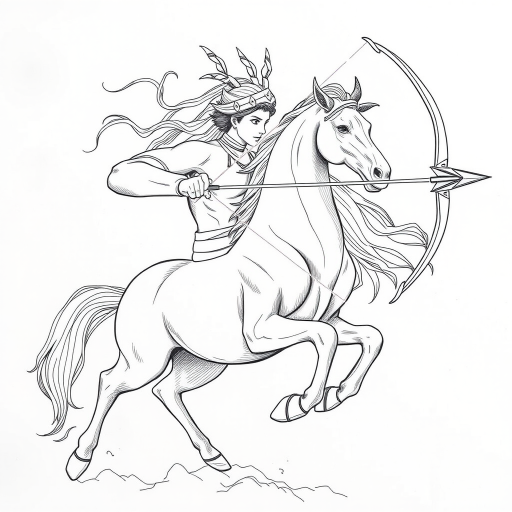
a highly detailed portrait of a woman drawing a bow and arrow, fierce expression, vibrant turquoise background, sharp focus, 50mm lens, f/1.8, natural lighting, textured brush strokes for artistic effect, digital painting style
Create an image of a smooth, oval gradient button that transitions from a light blue at the top to a soft green at the bottom, with a bold orange arrow curving downward into the center, using a DSLR camera with a 50mm lens, aperture set to f/2.8, ISO 100, shot in natural light from a top-down view to enhance clarity and vibrancy.
Create a minimalist logo featuring a stylized triangular arrow in shades of orange and yellow, captured with a DSLR camera at f/5.6, ISO 100, 1/125s, using a macro lens for sharp detail and vibrant color contrast.
create a vibrant red downward arrow on a solid black background, shot with a DSLR camera, 50mm lens, f/2.8 aperture, 1/60s shutter speed, ISO 100, in high resolution for enhanced clarity.
Create a high-quality image of a blue circular arrow icon pointing left, with a glossy finish, using a Canon EOS 5D Mark IV, aperture f/4, ISO 100, 50mm lens, shot from a straight-on view, ensuring vibrant colors and clear details.
Create a high-resolution image of a modern, stylized logo representing a double arrow symbol, captured with a Canon EOS R5 camera, 50mm lens, f/2.8 aperture, ISO 100, with a shallow depth of field and soft focus background for a clean, professional look.
Create a high-resolution image of a road sign with a blue background and a large white upward arrow, captured with a Canon EOS R5 using a 50mm f/1.2 lens, aperture set to f/8, ISO 100, in bright daylight for optimal clarity and detail.
Create a vector illustration of a heart pierced by an arrow, using a digital art style, with high resolution, shot in a close-up view, using a Canon EOS 5D Mark IV, aperture set to f/2.8, ISO 100, at a focal length of 50mm.
Create a vivid blue cloud with an upward arrow centered inside it, using a Canon EOS R5, f/8 aperture, ISO 100, 50mm lens, ensuring sharp focus and high dynamic range in a digital illustration style.
Create a vibrant and detailed illustration of a no left turn road sign featuring a bold black arrow inside a red circle with a diagonal line crossing it, captured with a DSLR camera at f/8 aperture, 1/200 shutter speed, and ISO 100, using a wide-angle lens to enhance depth and clarity.
Create an image of a rough concrete wall with a vibrant blue arrow painted on it, using a DSLR camera, aperture f/2.8, shutter speed 1/125s, ISO 200, taken from a low angle for dramatic effect, in natural lighting conditions to enhance color saturation and texture detail.