Create an image of three globe icons: the first is a simple blue globe, the second is a blue globe with a dark outline, and the third is a blue globe with a circular arrow around it, captured with a Canon EOS R5, 50mm lens, f/8 aperture, ISO 100, in natural lighting, top-down view, with a clean white background for clarity.
Create a high-resolution image of a wooden signpost with an arrow pointing right, captured with a DSLR camera using a 50mm lens, aperture set to f/2.8, shutter speed of 1/125s, and ISO 100, with a shallow depth of field and a soft blurred background.
Create an image of a person holding a tablet, with words "idea", "plan", and "action" in bold blue fonts along an upward arrow, using a Canon EOS 5D Mark IV at f/4.0, ISO 100, 1/125 sec, with a bright white background and a focus on the tablet.
Create an image of a blue curved arrow, centered on a white background, using a DSLR camera with a focus of 50mm, aperture set to f/2.8, ISO 100, and natural lighting for enhanced clarity and color vibrancy.
Create a vibrant illustration of a night sky with a crescent moon and a stylized bow and arrow motif centered within a circular frame, using a DSLR camera with a 50mm lens, aperture f/2.8, ISO 100, shot from a direct overhead view to enhance detail and color contrast.
Create a high-resolution image of a blue circular icon featuring a right arrow, using a 50mm lens, f/2.8 aperture, ISO 100, shot in natural lighting at a 45-degree angle with a shallow depth of field.
Create a high-resolution image of a round red button with a glossy finish and a large text label saying "Push off" in bold black, with a circular arrow design around it, photographed from a top-down perspective using a DSLR camera at f/5.6 aperture, ISO 100, 1/60 shutter speed.
A 3D character walking on a blue arrow, high-resolution, shot with a DSLR camera at f/8 aperture, 35mm lens, ISO 100, in a studio setup with soft lighting and white background.
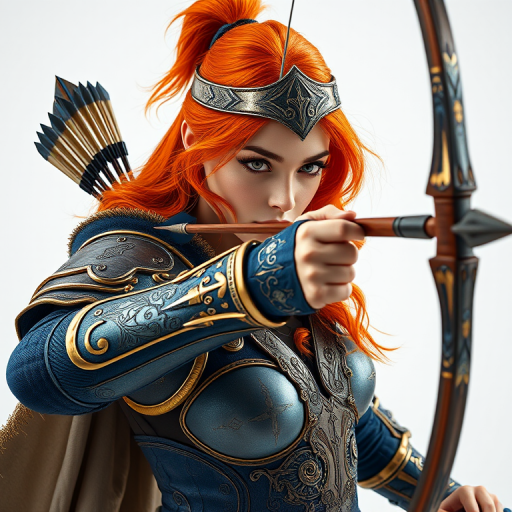
Create a highly detailed line drawing of a centaur archer poised to shoot an arrow, with dynamic movement and intricate textures, captured using a DSLR camera with a 50mm lens, f/2.8 aperture, ISO 100, in natural lighting, focusing on sharp lines and contrast.
create an image of a large black U-turn arrow on a vibrant orange background, shot with a DSLR camera at f/8, ISO 100, 1/200 sec, top-down view for clarity and sharpness
create an image of a blue directional right arrow sign on a clean white background, use a Canon EOS 5D Mark IV camera with a 50mm f/1.8 lens, aperture at f/4, shutter speed at 1/200s, ISO 100, focus on the arrow with a slight blur on the background to enhance clarity
Create a vector-style illustration of a character with short blonde hair and a blue shirt, with a red arrow pointing down next to them, using high resolution, captured with a digital camera at f/2.8 aperture, ISO 100, and a focal length of 35mm, in a clean flat lay view.
Create an image of a simplified white arrow pointing diagonally downwards against a vibrant red background, captured with a DSLR camera at f/4 aperture, 1/60 shutter speed, ISO 100, in a high-resolution flat lay style.
Generate a smooth, rounded orange button with a green downward arrow above it, using a Canon EOS 5D Mark IV, f/4 aperture, ISO 100, 50mm lens, in a well-lit studio environment with a clean background for enhanced clarity and detail.
Create an illustration of a cute cartoon character resembling a cherub with orange curly hair, holding a bow and arrow aimed at a red heart, with a vibrant, cheerful background; use a DSLR camera with a 50mm lens, aperture f/1.8, ISO 100, and natural lighting for a soft focus effect and rich colors.
Create a high-resolution digital illustration of four arrow buttons (two left and two right arrows) in a sleek and modern design, with a glossy finish and subtle shadows, using a Canon EOS R5 camera with a 50mm f/1.2 lens, aperture set at f/2.8, ISO 100, and soft diffused lighting to enhance the image quality.