Create a high-resolution digital illustration of a blue badge with scalloped edges and a smooth surface, using a DSLR camera with a 50mm lens at f/2.8, ISO 100, in natural daylight to enhance colors and details.
Create an illustration of a vintage megaphone in a circular badge design with a yellow background, using a DSLR camera with a 50mm lens at f/2.8, 1/125s exposure, in soft natural light for enhanced quality.
Create a high-resolution image of a sheriff badge featuring a golden star shape with intricate details, a central blue circle outlined in red, vibrant colors, taken with a DSLR camera at f/2.8 aperture, ISO 100, 50mm lens, in a well-lit studio setting, using a shallow depth of field for clarity and emphasis on the badge.
Create a minimalistic vector representation of a professional female figure with a round badge design, using a soft blue color palette, set against a black background, captured in digital art style with a resolution suitable for high-quality print.
Create an illustration of a computer monitor displaying a vibrant website with icons representing a rocket, a number one badge, a color wheel, and a shield on a light blue background, captured using a Canon EOS 5D Mark IV, 50mm lens, f/2.8 aperture, ISO 100, with a sharp focus and bright colors.
Generate a high-resolution image of a stylized police badge, using a DSLR camera with a 50mm lens, aperture set to f/2.8 for a shallow depth of field, ISO 100, and a soft focus background to enhance the badge's detail and shine.
Create a high-quality image of a police badge with a polished metallic finish, in a close-up view using a DSLR camera, aperture set to f/2.8 for a shallow depth of field, ISO 100 for minimal noise, and a 50mm lens to capture intricate details.
Create a high-resolution digital illustration of the Puerto Rican flag within a reflective circular badge, using a DSLR camera, f/8 aperture, 50mm lens, ISO 100, natural lighting, and a wide-angle view to enhance color vibrancy and clarity.
Create a digital illustration of a circular badge featuring a thumbs-up icon in the center, with the text "keep it up" in a playful font, using a vibrant blue background and orange border, shot with a DSLR camera at f/8 aperture, ISO 100, 50mm lens, and soft lighting to enhance clarity and color vibrancy.
Create an image of a badge with a golden starburst shape, featuring the text "100% SATISFACTION GUARANTEE" in modern typography, with a soft-focus background; use a DSLR camera with a 50mm lens, aperture set to f/2.8 for a shallow depth of field, ISO 100, and a slight vignette effect.
Create a high-resolution image of six distinct golden award symbols including a crown, shield, starburst, and various badge shapes, using a DSLR camera with an aperture of f/2.8, ISO 100, and a focal length of 50mm, shot from a straight-on view in a soft lighting setting to enhance details and reflections.
Create a vibrant illustration of a circular badge featuring the word "LOGIN" prominently in the center, surrounded by stylized mountains, clouds, and a moon, using bright colors and clean lines, captured with a DSLR camera at f/2.8, 35mm lens, natural lighting, and a slight vignette effect.
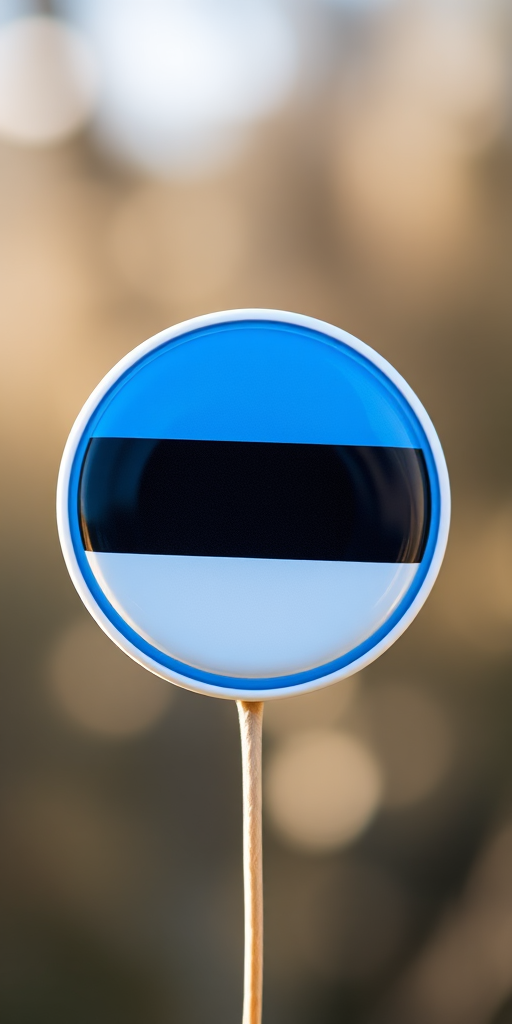
Create a high-resolution image of a circular badge featuring the Estonian flag with vibrant blue, black, and white colors, using a Canon EOS R5 camera, 50mm lens, f/1.8 aperture, ISO 100, natural lighting, and a slight bokeh effect in the background for depth and clarity.
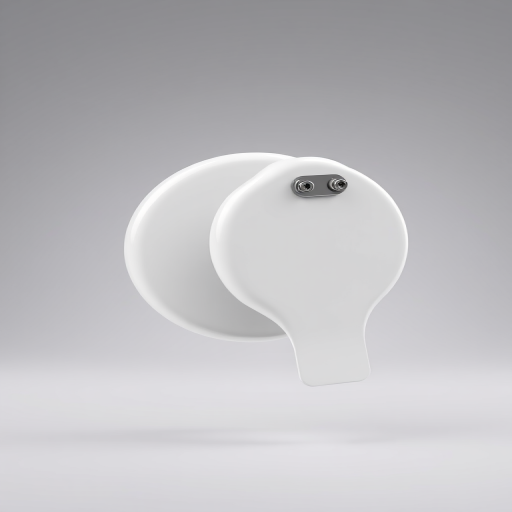
Create a 3D render of a glossy white badge in mid-air against a soft gradient background, with the badge facing both front and back to show the pin mechanism, using a Canon EOS R5 with an aperture of f/8, shutter speed of 1/125s, ISO 100, and a 50mm lens, in a studio lighting setup for enhanced image quality.
create an illustration of a circular badge with a red outline and orange background featuring the outline of Switzerland in red with a white cross in the center and the word "Switzerland" in a stylish font at the bottom, using a DSLR camera at f/8 aperture, ISO 100, 50mm lens, natural lighting for sharp details and vibrant colors.
Create an image of a bold military badge featuring a red banner with the text "AIRBORNE" at the top, "RANGER" in the center, and "1st Co" at the bottom, set against a black background; use a DSLR camera with a 50mm lens, f/2.8 aperture, ISO 100, and a shallow depth of field for enhanced clarity and detail.