

Craft Stunning Art: 5 Free AI Tools
In the dynamic world of digital art, five free tools are changing the game for artists everywhere. Tools like Blue Willow and Clip Drop are making high-level art creation accessible to everyone, from beginners to pros. This shift is not just about making art easier to produce; it’s about opening up new ways for artists to express themselves and customize their work.
These advancements bring up big questions about the future of art. How will these tools change the way artists work or even how we define what being an artist means? It’s an exciting time to see how technology is blending with traditional art forms to create something new.
Each of these tools offers something unique. Whether turning photos into detailed paintings or creating complex digital scenes with a few clicks, they’re all about giving more power to the creator. Artists can experiment with styles and techniques that would have been out of reach or too time-consuming in the past.
This evolution in art tools is also sparking conversations about creativity itself. With AI playing a more significant role in the creative process, we must consider what makes art truly art. Is it the tool or the vision behind the work? These discussions are crucial as we navigate this new terrain.
Overall, the impact of these free AI tools on the art world can’t be overstated. They’re not just changing how art is made but challenging our perceptions of creativity and expression. As we continue to see these technologies develop, the possibilities for what art can become are endless.
Key Takeaways
In today’s art scene, free AI tools are game changers.
- Accessibility boosts for all skill levels.
- Tools invite new expressions in art.
- They spark debate on creativity’s future.
These platforms transform photos into paintings or craft digital scenes effortlessly. Artists now explore styles that were previously too complex or time-intensive. The role of AI in art questions the essence of creativity. The influence of these tools reshapes our views on art and expression, hinting at boundless future possibilities.
Exploring Blue Willow
In the world of AI-assisted art creation, Blue Willow stands out. It transforms simple instructions into beautiful art. This tool is perfect for anyone, whether you’re an experienced artist or just starting. It makes creating digital art accessible and fun, opening up a world of possibilities for creative minds.
Blue Willow is user-friendly, making it straightforward for people to create art with AI. You can download and tweak your art, ensuring it perfectly fits your vision. This adaptability allows for a process where you can change and refine your work as much as you like. With Blue Willow, you can experiment with different styles, pushing the boundaries of creativity.
It’s a unique tool in the digital art world, turning abstract ideas into concrete art pieces. This AI tool is more than just a program; it’s a partner in the artistic process, enabling the creation of stunning, one-of-a-kind artworks.
Discovering Clip Drop
Clip Drop has emerged as an innovative tool catching the eye of artists and creators everywhere. It’s a platform that utilizes Stable Diffusion XL to bring to life impressive art. What sets Clip Drop apart is its range of features that do much more than create art. It offers a solution for removing watermarks, helping artists keep their work clean and original.
This platform supports various artistic styles, allowing users to create art that matches their vision. As a free tool, Clip Drop makes advanced art creation accessible to everyone, whether you’re a professional artist looking to integrate AI into your projects or a hobbyist eager to explore new avenues of creativity. Clip Drop is your go-to platform for expanding the horizons of digital art.
In a world where digital art is becoming more accessible, Clip Drop offers a straightforward approach to creating and refining art. It’s an essential tool for anyone looking to explore the boundaries of what can be achieved with digital creativity.
Unveiling Uncrop
As the world increasingly leans on digital content, the need for striking images is at an all-time high. Uncrop steps up to this challenge, offering tools to resize and autofill pictures, making them perfect for everything from Instagram posts to high-quality prints.
Uncrop’s main draw is its ability to improve image quality. It uses advanced techniques to adjust an image’s lighting and colors, ensuring they stand out. This tool is convenient for those looking to give their photos a professional touch without delving into complicated software.
Another standout feature is its resizing and auto-filling capability. This means you can change an image’s size without losing essential elements. It’s ideal for adapting photos for different platforms or print sizes.
The software is user-friendly, making it accessible to both beginners and those more experienced with photo editing tools. Its versatility is also a key strength, catering to various needs, from personal photo enhancement to business image optimization.
Navigating NVIDIA Canvas
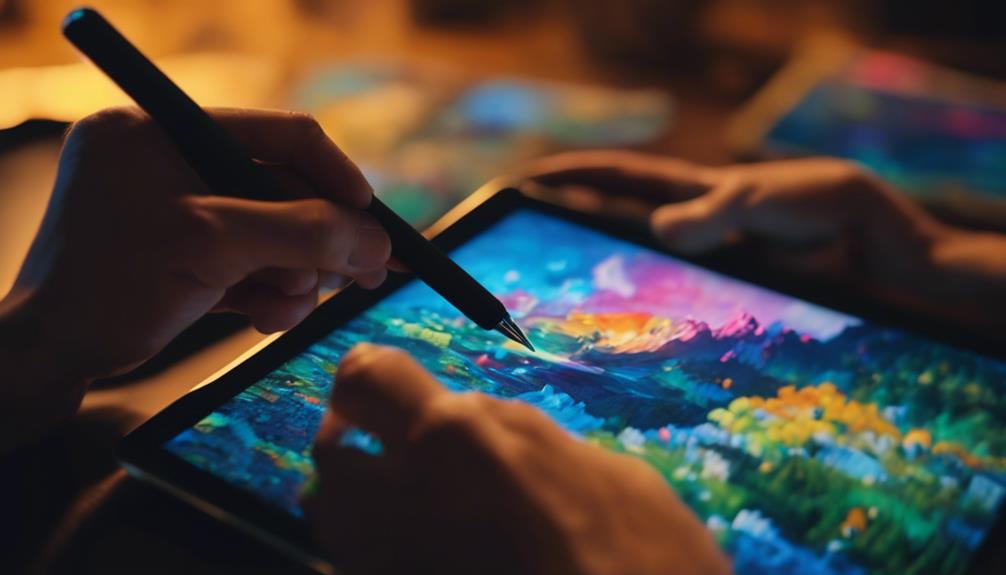
NVIDIA Canvas is a groundbreaking AI tool that turns simple sketches into detailed works of art by analyzing brush strokes. It’s a game changer for beginners and those not traditionally versed in art, allowing anyone to transform their basic drawings into impressive pieces.
| FeatureDescriptionSimplify the Art Creation ProcessBenefit | ||
|---|---|---|
| Easy-to-Use Interface | Makes the art-making process straightforward | It makes it simpler for people at all skill levels to create art |
| Diverse Artistic Styles | It provides many styles for personalization | It lets people try out different visual looks |
| Analysis of Strokes | Adjusts sketches based on the strokes used | It makes the final piece of art more expressive and accurate |
NVIDIA Canvas makes creating art more accessible to those who might not have formal art training, encouraging them to try different styles. Its variety of customization lets people express themselves uniquely, expanding the possibilities for creative works. It’s also an excellent tool for those looking to improve their artistic abilities, offering a way to produce quality art with less effort. This tool significantly contributes to making the art world more inclusive and varied, enabling more people to participate in artistic creation.
Mastering Leonardo AI
Drawing upon the capabilities of art creation tools like NVIDIA Canvas, Leonardo AI introduces a new artistic freedom. It allows users to turn text prompts into unique artworks, including 3D animations. As a groundbreaking digital art tool, Leonardo AI is a powerful ally for artists, offering a smooth and intuitive interface to bring their visions to life.
What sets Leonardo AI apart includes:
- A wide variety of artistic styles. This feature lets artists experiment and express their ideas in countless ways.
- The ability to create not just still images but also dynamic 3D animations. This opens up new avenues for artistic expression.
- Customization options give artists control over the fine details of their work, ensuring the results align with their original vision.
- An easy process for downloading the final artwork. This convenience makes it easier for artists to share or include it in larger projects.
These features underscore why Leonardo AI is a significant tool for digital artists looking to push the boundaries of their creative work.
Frequently Asked Questions
Is There a Free AI to Create Artwork?
- Free AI tools offer a new artistic medium.
- They prompt discussions on ethics and copyright.
- Artists showcase innovations in a shared space.
What Is the Free AI That Creates Designs?
- DALL-E 2 innovates design with user-friendly features.
- Surpasses others in interface and customization.
- Gains positive feedback from its user community.
How Do I Make High-Quality AI Art?
- Find inspiration in current trends and personal interests.
- Master color and texture for visual depth.
- Play with composition and lighting for impact.
Which AI Makes Art Look Good?
- Effective AI blends style, color, and texture.
- Capturing emotion through dynamic visuals is critical.
- Nuanced brushwork and lighting enhance the art’s appeal.
